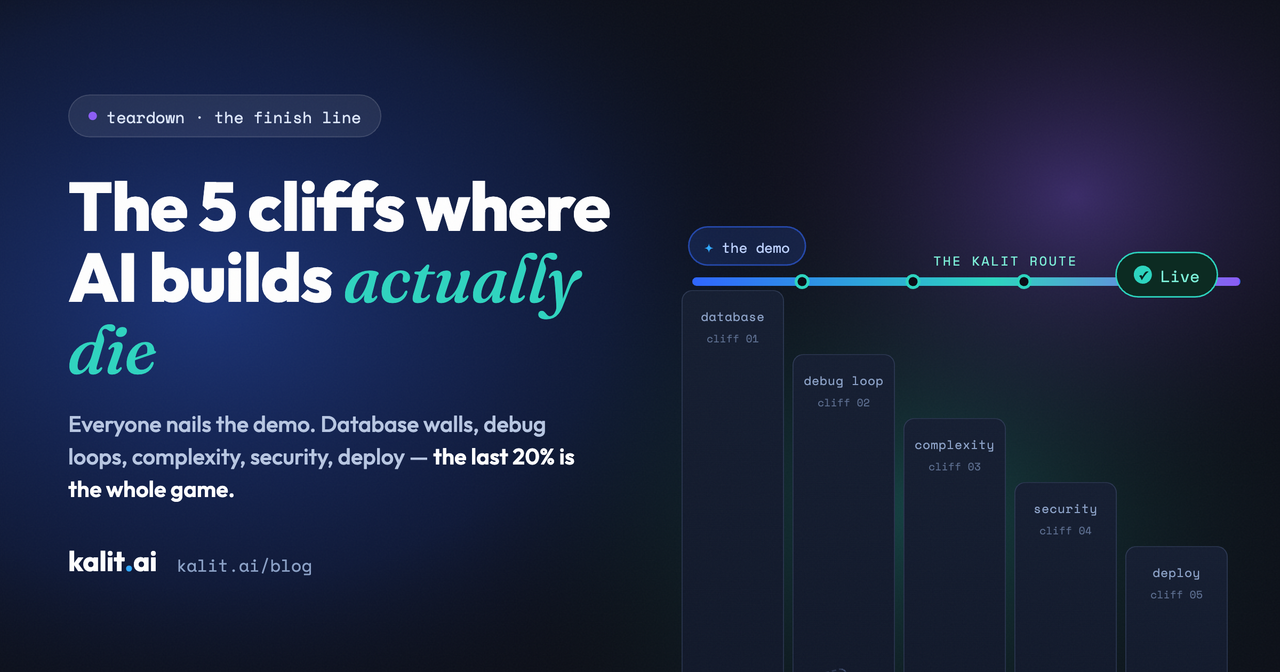
The 5 cliffs: where people actually quit when building with AI
AI builders are great at the demo. Here are the five exact points where projects die afterward — and what to do at each one
Nobody quits at the demo.
The demo is the best moment in modern software. You type a paragraph, and an AI builder hands you something gorgeous: a working-looking app, a landing page with real copy, a dashboard with charts. It takes seconds, and it feels like cheating.
And yet most of those projects never go live. Not because the ideas were bad — because somewhere between the demo and a real product, the builder hit a cliff and fell off.
We've spent months watching non-technical people build with AI tools — founders, marketers, designers, students. The drop-off isn't random. It happens at the same five points, in roughly the same order, almost every time. If you've ever abandoned a build in a browser tab, at least one of these will feel personal.
Cliff 1 — "Now connect your database"
The demo renders. The signup form looks great. You click it and discover it's decorative — there's nowhere for the data to go.
The tool's answer is a setup wizard: create an account with a database provider, generate API keys, copy them into a config panel, and understand terms like "anon key" and "row-level security" along the way. For a developer, that's twenty minutes. For everyone else, it's the moment the project stops being theirs.
This is the single biggest killer we've seen, and it's quietly brutal because it arrives right after the high. You went from "I built an app!" to reading documentation about connection strings in under a minute.
What helps: before you commit a weekend to any tool, ask one question — when I describe a form, does the data have somewhere to go by default? If the answer involves a second product, budget real time for it, or pick a tool where the backend is part of the build.
Cliff 2 — The debug loop
You survived setup. Now something's broken — a button does nothing, the layout collapsed on mobile, the form rejects every email.
So you ask the AI to fix it. It fixes it — and breaks something else. You ask again. A common complaint among builders at this stage is burning through a whole month of credits fixing bugs the tool itself introduced, each fix billed like a feature.
One user put it memorably: "I burned ~150 messages just building the layout and never hit my MVP." The economics are upside down — you're paying retail for someone else's mistakes — and worse, you can't tell whether you're two fixes from done or twenty.
What helps: time-box it. If three consecutive fixes haven't converged, the loop isn't converging — change your approach (simplify the feature, restart from a cleaner prompt) instead of feeding it more credits. And notice which tools treat their own bugs as your bill. Our position at Kalit is simple: we shouldn't profit from our own mistakes.
Cliff 3 — The complexity wall
Demos are wide and shallow. Real products are narrow and deep.
AI builders shine when the request is "a landing page with a hero and three cards." They strain when it becomes "users can log in, see only their own projects, invite a teammate, and get an email when someone comments." Around the fourth or fifth interconnected feature, generated code starts contradicting itself — and a non-technical builder has no way to see where.
This cliff is sneakier than the first two because progress doesn't stop — it just degrades. Each new feature breaks an old one a little more, until you're maintaining a haunted house.
What helps: scope like a pessimist. Ship the one-feature version live first, then add depth to a working, published product. A live product with one feature beats a broken prototype with six — and going live early means every later change is tested against reality.
Cliff 4 — Security: the cliff you can't see
This is the quiet one, and the one we care about most.
When an AI hands you code, it hands you the responsibility for what's in it. Studies suggest a large share of AI-generated code ships with vulnerabilities — exposed keys, unvalidated inputs, form endpoints open to anyone with a script. A developer might catch these in review. But the entire promise of no-code is that you can't read code — which means you can't review it either.
The result: people publish apps that collect real emails and real user data, with no idea whether any of it is protected. Nothing looks wrong. That's the problem.
What helps: at minimum, check three things on any AI-built product before sharing it — does every page load over HTTPS, does the form reject garbage input, and can you find any keys or secrets by viewing the page source? Better: use a tool that hardens the build before you see it, so security isn't homework you're unqualified for. (This is Kalit's whole thesis — security is applied during the build, by default, not left as an exercise.)
Cliff 5 — "Now deploy it"
The final cliff has the best view. Your app works. It's tested. It's done, by every definition that mattered five cliffs ago.
It's also running only on a preview URL, and the tool's last instruction is some version of: export the code, choose a host, set up a build pipeline, point your DNS, sort your SSL certificate. You came here because you don't write code, and the finish line turns out to be a systems-administration course.
A surprising number of finished products die right here — fully built, never live. The gap between "works in preview" and "live on my domain" can be wider than everything that came before it.
What helps: decide where "live" comes from before you start. If your tool of choice ends at "export," budget for the deploy route honestly (host, domain, SSL, updates — every time you change something). Or pick a tool where Publish means published — one click, production checks, live URL, custom domain handled.
The pattern behind all five
Look at the five cliffs together and they say one thing: building was never the hard part. Every AI tool nails the first 80% — the pretty demo. The last 20% — backend, stability, security, going live — is where almost everything dies.
That's the part we built Kalit to own. You describe what you want; Kalit builds it, secures it, and publishes it to a live URL with a custom domain. The backend exists by default. The hardening happens before you see the build. Publish is a click, not a course.
Same magic at the start. A real product at the end.
— describe it, publish it, and put a live URL in your bio today. No code. No cliffs.
Wondering how specific tools handle these five points? See the head-to-heads: Kalit vs Lovable, Kalit vs Bolt, Kalit vs base44.